In summary:
- Standard hotel WiFi often fails for professional use due to poor network quality (jitter, packet loss), not just slow speeds.
- Professionals must perform « connectivity forensics » before check-in by testing latency and stability in the hotel lobby.
- A dedicated « digital resilience kit, » including a travel router and ethernet adapter, is essential to bypass unreliable wireless networks.
- True connectivity is an ecosystem you build, leveraging everything from mobile plans and credit card perks to offline pre-loading strategies.
For the modern remote worker, the promise of « free hotel WiFi » is a professional gamble. You arrive, unpack, and prepare for a critical video conference, only to be met with a frozen screen, robotic audio, and the creeping dread of an unprofessional appearance. The reliance on this single, unpredictable amenity turns every business trip into a connectivity lottery. This dependence on a hotel’s infrastructure, which is often designed for casual browsing rather than demanding business tasks, represents a significant point of failure for productivity on the move.
The standard advice—ask the front desk, hope for a room near a router, or simply pay for a premium tier—is often insufficient. These are passive measures that leave control in the hands of the venue. The underlying issue is rarely about raw download speed. The true culprits are poor network quality metrics like high latency, jitter, and packet loss, which are invisible to a basic speed test but devastating for real-time applications like video calls and cloud collaboration.
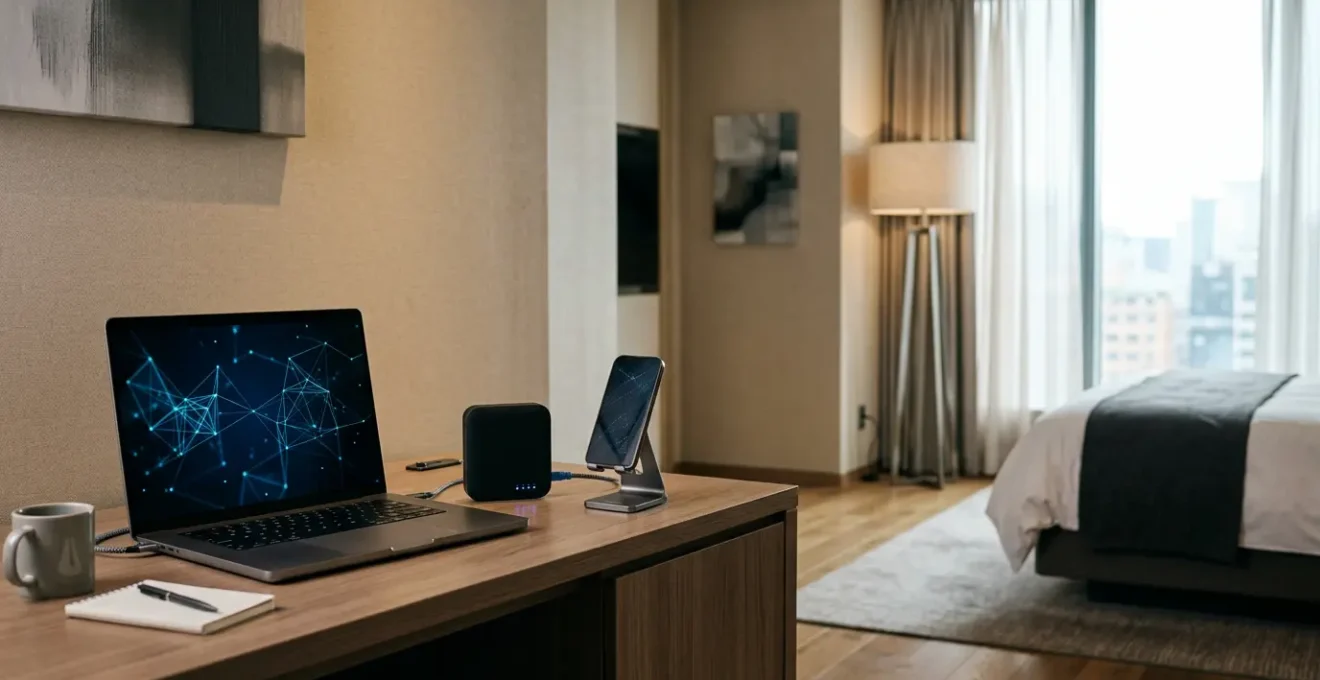
But what if the solution wasn’t to hope for better WiFi, but to create your own reliable connectivity bubble, regardless of the hotel’s infrastructure? This guide abandons passive hope in favour of proactive strategy. We will move beyond simply measuring speed to diagnosing the fundamental health of a network. This is about employing a form of connectivity forensics to identify weaknesses before they impact your work and deploying a specific hardware toolkit to guarantee stability. This article will provide a systematic approach to ensure you never drop a critical connection again, transforming you from a hopeful guest into a prepared professional.
This guide is structured to walk you through the entire process, from pre-arrival reconnaissance to creating a seamless connectivity ecosystem for all your travel touchpoints. Below is a summary of the key strategies we will cover.
Summary: Guaranteeing Business-Critical WiFi Reliability for Productive Work During Travel
- Why « Free WiFi » Fails for Video Calls in 45% of British Hotels
- How to Test Hotel WiFi Connection Speed Before Checking In
- Complimentary WiFi or Premium Tier: Which Delivers 50 Mbps Upload for Cloud Work?
- The Bandwidth Limitation That Disrupts Automatic Cloud Backups Overnight
- How to Request Wired Ethernet Access for Guaranteed Connection Stability
- How to Verify Hotel WiFi Is Genuinely Unlimited Versus Data-Capped Plans
- Mobile Hotspot or Venue WiFi: Which Delivers More Reliable Travel Connectivity?
- Maintaining Continuous Internet Access Across All Travel Touchpoints Without Extra Costs
Why « Free WiFi » Fails for Video Calls in 45% of British Hotels
The term « free WiFi » is a marketing amenity, not a technical guarantee. For a digital nomad or remote professional, the difference is critical. While a hotel’s connection might suffice for checking emails or scrolling through social media, it frequently collapses under the strain of business-critical tasks. The core problem isn’t necessarily the advertised speed but the underlying network quality. Video conferencing applications like Zoom or Microsoft Teams are highly sensitive to inconsistencies, which are rampant in shared hotel networks.
The three silent killers of a productive video call are jitter, packet loss, and high latency. Jitter refers to the variation in the delay of received data packets; for clear audio, this should be under 30ms. Anything higher results in garbled, robotic sound. Packet loss, where small bits of data are lost in transit, should be below 1%. Even a seemingly minor 1-2% loss causes video to freeze and audio to drop out entirely. Finally, latency—the time it takes for data to travel from your device to the server and back—must be consistently low. These issues arise because hotel networks are built for capacity, not consistency, treating all traffic equally and leading to congestion during peak hours.
This explains the disconnect in user perception. While 59% of British business travelers say hotel rooms offer reliable WiFi, this figure reflects general use. When narrowing the focus to high-demand tasks like video calls, the failure rate becomes much more apparent. The « free » tier is a shared resource where your critical presentation competes for bandwidth with another guest’s 4K movie stream. Without Quality of Service (QoS) protocols to prioritise your traffic, your connection is at the mercy of the network’s busiest user, making it an unacceptable risk for professional obligations.
How to Test Hotel WiFi Connection Speed Before Checking In
The most effective way to avoid a connectivity disaster is to perform reconnaissance before you even present your ID at the front desk. The hotel lobby is your proving ground. Most hotels use the same network infrastructure for their public areas as they do for their rooms. This presents a golden opportunity for a pre-emptive « connectivity forensics » audit. Before committing to your stay, take a seat in the lobby, connect to the guest network, and run a series of targeted diagnostics.
Your primary goal is to assess the network’s suitability for real-time work, not just its raw download speed. While tools like Speedtest by Ookla are a good start, focus on three critical metrics: upload speed, latency (ping), and jitter. For smooth video calls, you need a stable upload speed of at least 5-10 Mbps. Latency should ideally be below 50ms; anything over 100ms will introduce noticeable lag. Jitter, a measure of latency consistency, should be as low as possible, preferably under 30ms. A high jitter value is a major red flag, indicating an unstable network that will cause audio and video to stutter, even if the overall speed seems high.
This proactive testing phase allows you to make an informed decision. If the lobby’s WiFi is struggling, it is highly probable the in-room experience will be the same, if not worse. This discreet check, which takes no more than five minutes, empowers you to either proceed with confidence, ask for a room in a known better-served area, or decide to find alternative accommodation before you’ve wasted time and money. It shifts the power from the hotel to you, the prepared professional.

As this reconnaissance shows, the simple act of testing provides invaluable data. If the results are poor, you have the leverage to discuss your needs with the hotel staff. You can specifically ask about their premium offerings or whether they have dedicated business floors, armed with concrete data about why the standard service is insufficient for your professional requirements.
Complimentary WiFi or Premium Tier: Which Delivers 50 Mbps Upload for Cloud Work?
When faced with a slow complimentary connection, the knee-jerk reaction is often to upgrade to the hotel’s « premium » or « high-speed » tier. However, understanding the technical differences between these tiers is crucial to determining if the extra cost will actually solve your problem. The distinction is not just about more speed (quantity); it’s about better, more consistent service (quality), which is achieved through specific network architecture.
Free, basic WiFi typically operates on a heavily shared bandwidth model. All users are on the same virtual playground, and there is no traffic prioritisation. A premium tier, conversely, often places you on a separate Virtual LAN (VLAN) with a higher bandwidth allocation. More importantly, it may include Quality of Service (QoS) rules that prioritise your data packets over those from users on the free tier. This means your video conference traffic is less likely to be disrupted by other guests’ high-bandwidth, non-critical activities. For intensive cloud work, like uploading multi-gigabyte files or syncing a large codebase, a plan that explicitly offers 50 Mbps or higher with symmetric (equal upload/download) speeds is often categorized as a « business » or « conference » tier, which may require a special request.
The decision to upgrade should be based on a clear understanding of these technical differentiators. The following table, based on an analysis of hotel technology trends, breaks down the typical offerings.
| WiFi Tier Type | Typical Speed | Price Range | Technical Differentiation | Best Use Case |
|---|---|---|---|---|
| Free/Basic WiFi | 1-5 Mbps | $0 (included) | Shared bandwidth, no QoS priority, captive portal only | Email, web browsing, light social media |
| Premium/High-Speed WiFi | 10-50 Mbps | $5-20/day | Dedicated VLAN, QoS prioritization, higher bandwidth allocation | Video conferencing, large file uploads, cloud backups |
| Business/Conference Tier | 50/50 Mbps symmetric | Available on request | Separate network segment, guaranteed minimum bandwidth, SLA | Mission-critical work, multiple simultaneous cloud applications |
Ultimately, paying for premium WiFi is an investment in priority and stability. If your work involves large file transfers or requires flawless video communication, the modest daily fee is a small price to pay for the assurance that your connection won’t fail at a critical moment. Always clarify with the hotel what the premium tier technically provides beyond just a higher Mbps number.
The Bandwidth Limitation That Disrupts Automatic Cloud Backups Overnight
One of the most overlooked challenges for a travelling professional is the overnight data sync. After a long day of work, you set your laptop to back up gigabytes of new data to the cloud, only to wake up to a failed or corrupted transfer. This issue often stems from two hidden network policies: session timeouts and unannounced throttling. Many hotel networks are configured to automatically disconnect devices after a certain period of inactivity or a set number of hours (e.g., 2-4 hours) to free up network resources. This policy is catastrophic for long-running processes like a major backup.
As Johnson Creative Technology Solutions notes in their expert guide, the needs of a business traveller are diverse: « Business travelers need reliable internet for video calls, emails, and online tasks. Entertainment: Smooth streaming, gaming, and browsing require a steady connection. » This dual-use environment is precisely why hotels implement these limitations—to prevent a few heavy users from monopolising bandwidth. Your critical backup is treated the same as a movie left streaming all night, leading to an abrupt disconnection that halts the process.
To ensure session persistence for these essential tasks, a multi-faceted approach is required. First, use backup software that is designed to handle interruptions, with features like « resume-on-disconnect. » Tools like Duplicati or rclone can gracefully pick up where they left off without having to restart the entire upload. Second, deploying a travel router creates a stable micro-network for your devices. The router maintains the connection to the hotel’s WiFi, so even if the hotel network briefly drops and reconnects, the connection from your laptop to your travel router remains stable. You can also configure QoS on the travel router to prioritise backup traffic. Finally, scheduling these large transfers for off-peak hours (e.g., between midnight and 6 AM) can help avoid network congestion and potential throttling triggered by high daytime usage.
How to Request Wired Ethernet Access for Guaranteed Connection Stability
In the quest for ultimate connectivity, the most reliable solution is often the oldest: a wired ethernet connection. While many modern hotels have phased out visible ethernet ports in favour of a sleek, wireless-only aesthetic, the physical infrastructure often remains hidden in plain sight. This provides a powerful alternative for the prepared professional seeking a connection free from the interference, congestion, and instability inherent in WiFi.
Your first step is investigation. The most common location for a hidden but active ethernet port is on the back of the in-room VoIP desk phone. These phones often have a pass-through port intended for a computer. Other potential locations include the back of the smart TV or behind a media hub panel on the wall or desk. Discovering and utilising this port can provide a direct, stable, and often much faster connection than the shared wireless network, completely bypassing issues like signal strength and channel interference.
To take advantage of this, you must travel prepared. Modern laptops lack native ethernet ports, so a compact USB-C or USB-A to Ethernet adapter is a non-negotiable part of your digital resilience kit. If a port is physically present but inactive, a polite and technically specific request to the hotel’s IT department can often resolve the issue. Instead of saying « the internet is slow, » you can state, « I need to connect a corporate device that does not support captive portal authentication; could you please enable the ethernet port in my room and whitelist my device’s MAC address? » This specific language shows you are a knowledgeable user and helps IT resolve your request quickly.
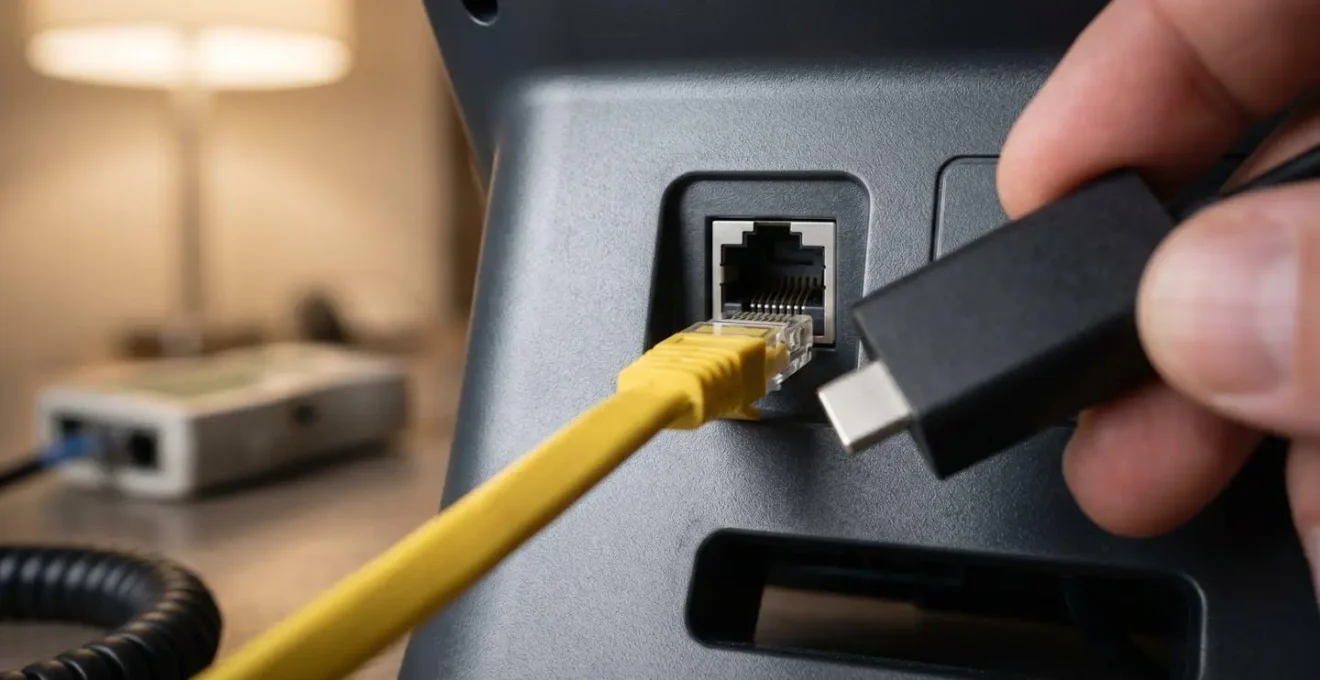
Being ready for this scenario requires a small but powerful toolkit. The following checklist outlines the essential items every business traveller should carry to ensure they can establish a wired connection whenever possible.
Your Essential Connectivity Kit for Hotel Stays
- USB-C to Ethernet adapter: The primary tool to enable a wired connection for most modern laptops and tablets.
- USB-A to Ethernet adapter: A crucial backup option for legacy devices or for when all USB-C ports are occupied.
- 10-15 ft flat ethernet cable: Provides the necessary length to reach inconveniently located ports behind furniture or near the ceiling.
- Network cable tester: A simple device that verifies a port is physically active before you spend time contacting IT, streamlining troubleshooting.
- Technical terminology script: Have a prepared phrase to request that IT « enable the ethernet port and whitelist your device MAC address, » bypassing common authentication issues.
How to Verify Hotel WiFi Is Genuinely Unlimited Versus Data-Capped Plans
The word « unlimited » in hotel WiFi marketing can be misleading. Many hotels, especially those in remote locations or using third-party satellite providers, implement « fair use » policies or hidden data caps that can throttle your speed or cut off your connection entirely once you reach a certain threshold (e.g., 5GB or 10GB per day). For a professional transferring large files or working in the cloud, hitting an unannounced cap can be a workday-ending event. Verifying the true nature of the connection requires a bit of investigative work.
The most direct method is a stress test. Initiate the download of a large, legitimate file, such as a Linux distribution ISO, which can be 5-10 GB. While the file is downloading, use your operating system’s built-in network utility to monitor your cumulative data usage. If you notice your download speed plummets or the connection drops entirely as you approach a round number like 5 GB, you’ve likely discovered a hidden cap. This is a clear signal that the network is not suitable for data-intensive work.
Another crucial step is to perform captive portal forensics. When you first connect to the network, you are presented with a login page that includes a link to the « Terms and Conditions » or « Acceptable Use Policy » (AUP). Before clicking « agree, » copy the text from this policy and paste it into a document. Then, search for keywords like « limit, » « fair use, » « AUP, » « throttle, » « GB, » and « cap. » Any mention of these terms is a strong indicator of a restrictive policy. Indirect clues, such as seeing branding from a known satellite internet provider or the presence of multiple, expensive pricing tiers, also suggest a high likelihood of data caps.
Mobile Hotspot or Venue WiFi: Which Delivers More Reliable Travel Connectivity?
The modern professional’s dilemma: trust the hotel’s potentially unstable WiFi or rely on a mobile hotspot, which comes with its own set of variables like signal strength and data limits? The answer isn’t about which is universally better, but which is the right tool for the specific task at hand. This decision should be based on a clear-eyed assessment of your immediate connectivity needs, balancing latency, security, and data volume.
A personal 4G/5G mobile hotspot excels in providing a secure and low-latency connection. Because you are on your own private, encrypted network, it is the superior choice for handling sensitive client data or financial transactions. Its consistently low latency makes it ideal for real-time, interactive tasks like video calls or remote desktop sessions, where responsiveness is paramount. However, its weakness lies in data limitations and potential signal dead zones inside large buildings.
Venue WiFi, on the other hand, is typically better suited for high-volume, non-interactive tasks. If you need to download large software updates or perform overnight cloud backups, a fast hotel connection (once verified) is more cost-effective and won’t burn through your mobile data allowance. The higher latency is acceptable because the task is not happening in real time. The key is to always use a VPN when on public or hotel WiFi to secure your data. This is especially true when considering that for 84% of guests, WiFi is the most important technology amenity, meaning these networks are high-value targets. A hybrid approach, using channel bonding services to combine both connections, offers the ultimate resilience for mission-critical work, providing a zero-downtime failover capability.
This task-based decision matrix, informed by data from travel connectivity analysis, can guide your choice.
| Connectivity Need | Recommended Solution | Latency Requirement | Security Level | Best Use Scenario |
|---|---|---|---|---|
| Video calls, remote desktop | 4G/5G Mobile Hotspot | Below 30ms for smooth real-time communication | High (private encrypted network) | Business meetings, confidential work, consistent quality priority |
| Large file downloads | Venue WiFi (if fast) | Above 100ms acceptable for non-real-time | Medium (VPN-protected) | Overnight backups, software updates, non-urgent transfers |
| Hybrid resilience | Channel bonding (both combined) | Optimized across both connections | Highest (multi-path encryption) | Mission-critical work requiring zero-downtime failover capability |
| Sensitive data work | Personal Hotspot primary | Consistent low latency | Highest (private network by default) | Financial transactions, proprietary information, client data access |
Key takeaways
- Test for Quality, Not Just Speed: A fast download speed is meaningless for video calls if latency, jitter, and packet loss are high. Always perform a quality audit.
- Carry a Digital Resilience Kit: Don’t rely on the hotel. A travel router, ethernet adapter, and long cable are your best insurance against poor wireless performance.
- Build a Connectivity Ecosystem: True resilience comes from orchestrating all available resources—mobile plans, hotspot data, credit card perks, and offline strategies—into a seamless safety net.
Maintaining Continuous Internet Access Across All Travel Touchpoints Without Extra Costs
True digital resilience extends beyond the hotel room. A productive business trip requires continuous, reliable connectivity across every touchpoint: at the airport, in transit, and during layovers. The modern professional travels with an average of 3 devices, according to hospitality WiFi data, all of which demand a stable connection. Achieving this without incurring exorbitant roaming charges or paying for multiple premium services requires treating connectivity as a personal ecosystem that you manage and optimise.
The foundation of this ecosystem is leveraging perks you may already have. Many premium credit cards offer complimentary Boingo WiFi subscriptions, granting access to hotspots in airports and public spaces worldwide. Similarly, your mobile plan might include in-flight texting, limited data passes, or a generous mobile hotspot allowance that can serve as your primary backup. Airline loyalty programs also frequently partner with connectivity providers, offering free or discounted access as a benefit.
The other side of this strategy is reducing your dependence on a live connection through aggressive digital pre-loading. Before you leave, use browser extensions or command-line tools like `wget` to save entire websites and documentation for offline access. Pre-sync all necessary cloud files to your local drive and download offline maps for your destination city. This creates a buffer, ensuring that a temporary loss of internet doesn’t bring your productivity to a halt. For international travel, a dual-SIM or eSIM strategy is a game-changer. Upon arrival, you can purchase a cheap, local data-only SIM while keeping your primary number active for calls and texts, effectively bypassing expensive roaming fees while enjoying reliable local data service.
By implementing these strategies, you shift from being a passive recipient of whatever connectivity is offered to an active architect of your own reliable digital environment. This proactive stance is the ultimate guarantee of productivity for any professional on the move.